
Loading...
7 Locations Serving 57 Counties in PA & NY

New equipment
John Deere Precision Ag Technology ProductsWith the purchase of Operations Center PRO Service annual license, you will unlock:
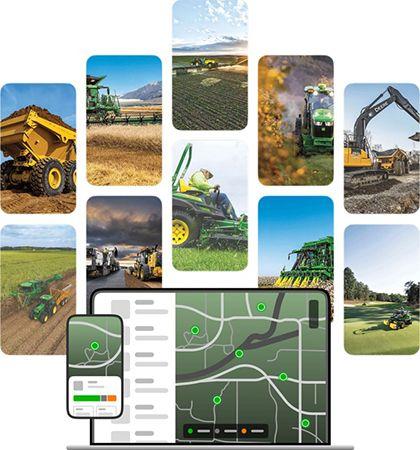
You know your equipment best and for decades John Deere has empowered you with tools, parts, and data to use, maintain, diagnose, repair, and protect your equipment.
Whether it’s in John Deere Operations Center™, Equipment Mobile, or Shop.Deere.com, your single John Deere account enables you to access your fleet of machines and empowers you to Run It Your Way. You’re empowered to manage equipment uptime through proactive maintenance tracking, easy parts purchasing, access to equipment operator manuals, and more!
With the addition of John Deere Operations Center™ PRO Service we further expand your ability to diagnose, repair, and reprogram your equipment within your Operations Center account, with the purchase of a license.
Learn more about the tools that make your connected experience seamless:
Click here to set up your John Deere account today: How To Create A John Deere Account | John Deere - YouTube
Review below to understand how each tool empowers you:
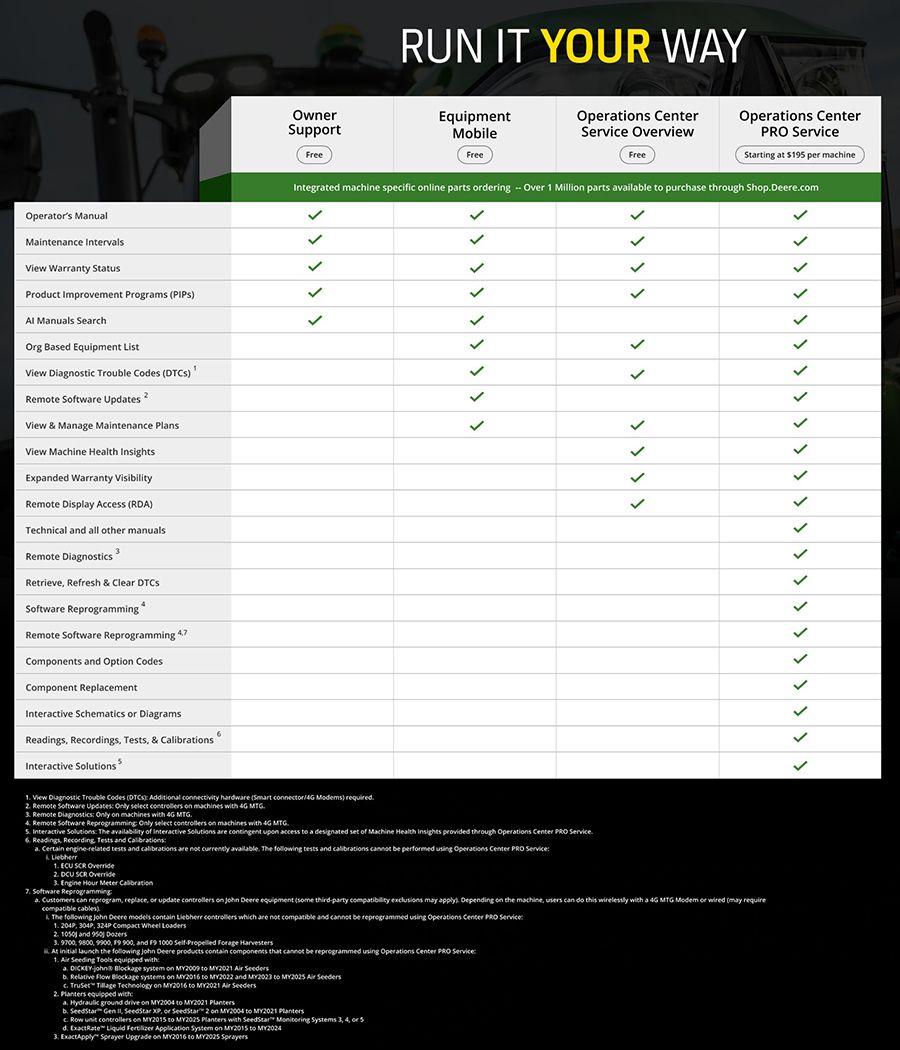
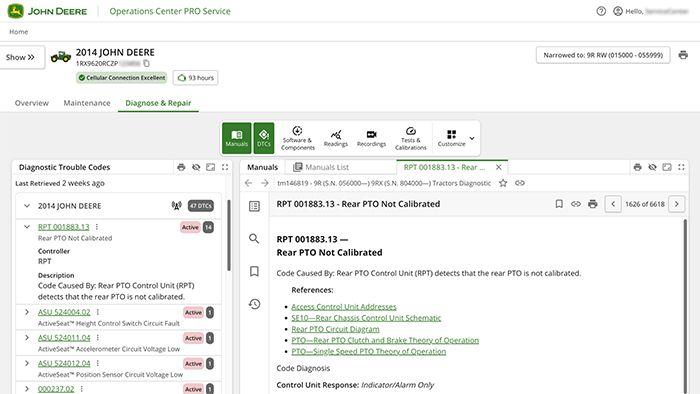
The John Deere Operations Center™ PRO Service one-year license further empowers you to keep your entire fleet running at its best with the information you need. Run it your way – when issues arise, use the powerful tools below to quickly diagnose your machines so you can quickly get them back to running at their best. Stay in control, even in remote locations. With offline access to diagnostic data and machine health insights for previously downloaded PINs, you can identify and troubleshoot issues on your terms, without waiting for a connection.
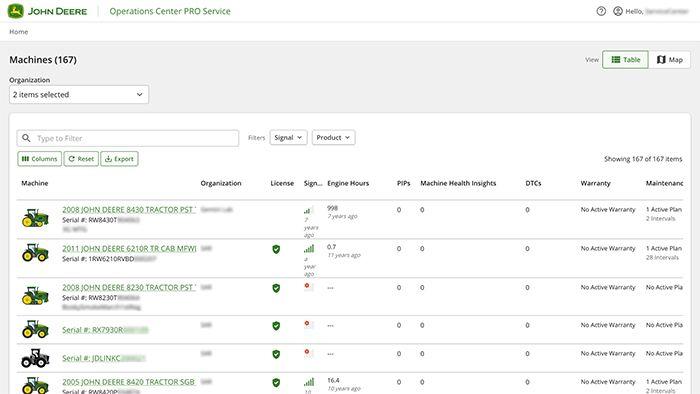
You’re checking your fleet before a busy week. Instead of jumping between systems, you open one page and instantly see which of your John Deere machines needs attention—whether it’s a pending software update, Product Improvement Program (PIP), or an upcoming maintenance interval. Every machine page brings together the key details you need—license status, Operations Center organization, engine hours, maintenance plan status, active Product Improvement Programs (PIPs), diagnostic trouble code (DTC) count1, warranty status*, available software updates, and machine health insights—all tied to your machine’s PIN. It’s everything in one place, ready when you are.
Decide which machines to prioritize, how to plan your repairs, and when to take action. All the insights you need are right in front of you, so you can keep your operation moving.
*Always check your actual license and warranty contracts for details, exclusions, and limitations.
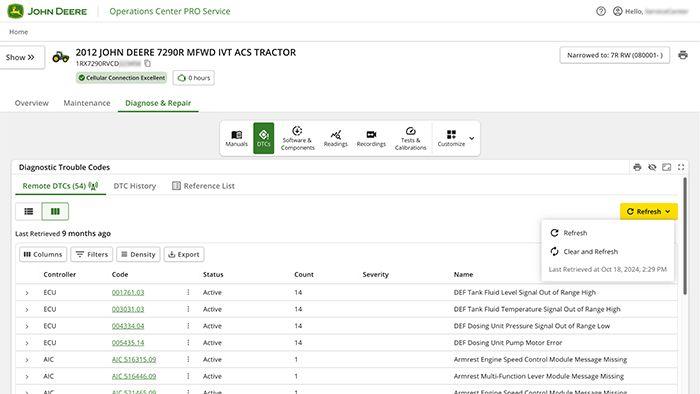
You’re mid-operation when your machine throws a code. Instead of guessing what’s wrong, you open Operations Center PRO Service and get straight to the source. View, refresh, and clear Diagnostic Trouble Codes (DTCs)1. Run limited tests and calibrations5. Record live data and share it with your technician, if you choose to. Whether the issue is resolved on the spot or needs a deeper look, you’re in control.
Run it your way with the tools to diagnose, document, and decide what happens next, Operations Center PRO Service was designed to reduce guesswork and increase uptime.
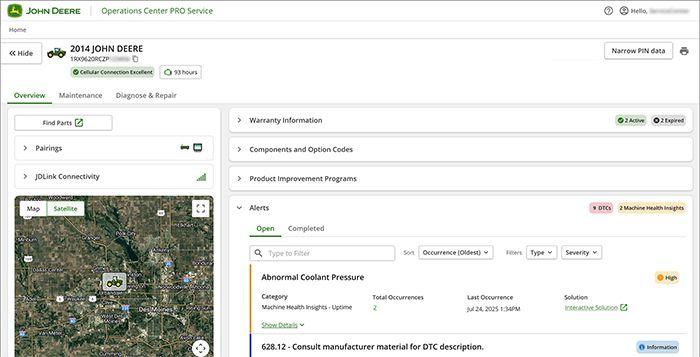
You’re not always in the cab—but your machines can keep you in the loop. Connected equipment with remote monitoring3 can flag potential issues as they develop—giving you a clear view of what’s happening, what it means, and what actions to take7.
Operations Center PRO Service delivers machine health insights that help you make faster, more informed decisions, and are designed to help you stay ahead of repairs to maximize uptime. These insights are powered by telematics and backed by John Deere engineers and data scientists, who analyze data trends from connected machines and proactively surface issues before they become bigger problems. Use step-by-step guidance7 for diagnostics and repairs to help keep your operation moving.
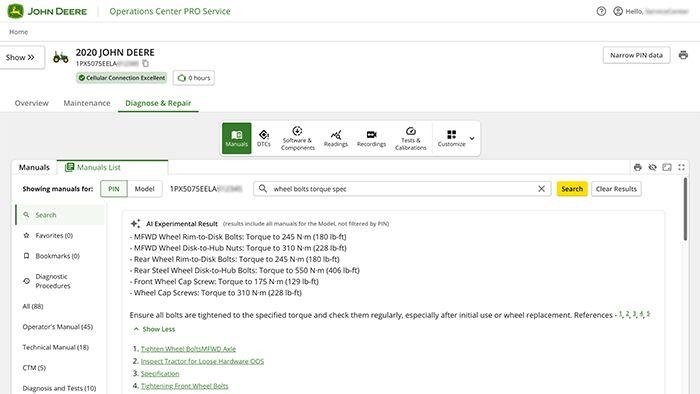
You’re in the field, diagnosing an issue with a machine that just went down. Instead of flipping through binders, you open Operations Center PRO Service, next you’re looking at the exact technical manual for your machine. Walking through the diagnostic steps and procedures you need to find the root cause of the problem you are experiencing.
Need to know the torque spec for a hydraulic fitting? It’s right there. Wondering if a part was updated in the latest revision? The AI Assistant highlights the change and even suggests compatible alternatives. You can ask follow-up questions like, “What’s the recommended service interval for this component?” and get an instant, AI-authored answer—no guesswork, no delays.
Having both operator and technical manuals helps ensure that everyone—from daily users to maintenance teams—has the right information to keep equipment running properly and efficiently. Operator manuals provide clear, easy-to-follow instructions for everyday use, while technical manuals offer in-depth guidance for troubleshooting, repairs, and systems. Whether you're planning a repair, training a new tech, or just brushing up on equipment details, everything is organized, searchable, and tailored to your machine.
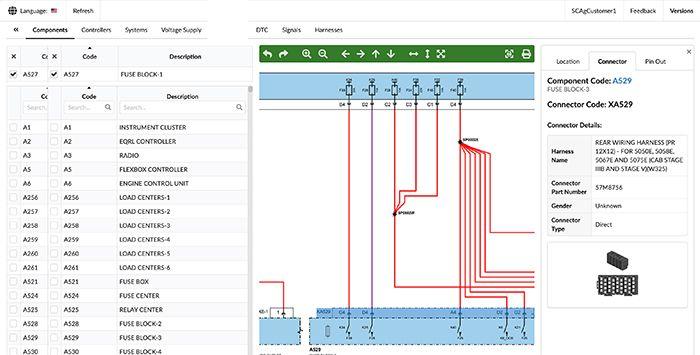
Your machine stops unexpectedly. Instead of flipping through manuals, you open Operations Center PRO Service and get a visual of what’s happening inside—right down to the wire.
Interactive Schematics allow you to interact with a digital version of your machines’ electrical systems (compatibility varies by model) View component-level, system- and DTC-based, and voltage supply diagrams. Trace circuits, understand how systems interact, and pinpoint the root cause of a problem faster, whether it’s a voltage drop, a faulty sensor, or a wiring issue.
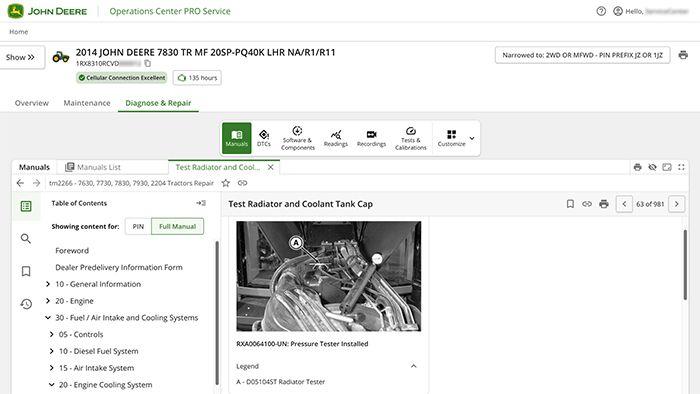
You know your equipment best, and we have given you the repair tools to Run it Your Way with the purchase of an Operations Center PRO Service one-year license. Never let connectivity slow you down. Download repair manuals and step-by-step instructions ahead of time, so you’re always ready to tackle repairs wherever you are.
You found the problem that stopped your machine, you diagnose the issue and now are wondering “What's next?”. Operations Center PRO Service offers guidance on the right repair procedures for your specific machine and current issue, utilizing AI-driven searches across all relevant manuals for efficient and accurate support.
Need to know the torque spec for a hydraulic fitting? It’s right there. Wondering if a part was updated in the latest revision? The AI Assistant highlights the change and even suggests compatible alternatives. You can ask follow-up questions like, “What’s the recommended service interval for this component?” and get an instant, AI-authored answer—no guesswork, no delays.
Having access to all manuals helps ensure that everyone—from daily users to maintenance teams—has the right information to keep equipment running properly and efficiently. Operator manuals provide clear, easy-to-follow instructions for everyday use, while technical manuals offer in-depth guidance for troubleshooting, repairs, and systems. Whether you're planning a repair, training new tech, or just brushing up on equipment details, everything is organized, searchable, and tailored to your machine.
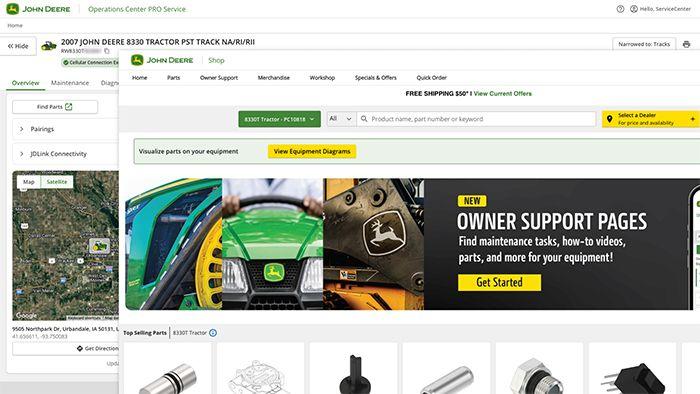
You’re reviewing a machine’s maintenance needs or going through repair instructions, and you realize you need a part to finish the job. Instead of flipping through catalogs or guessing part numbers, you click the parts link on the machine page and land directly on the correct, PIN-specific page—ready to order in seconds.
When it’s time to order, just click through to Shop.Deere.com and check out to get that part fast.
You’re not always in the cab—but your machines can still keep you in the loop. With remote monitoring2, connected equipment can flag potential issues as they develop—giving you a clearer view of what’s happening, what it means, and what to do next7.
Run It Your Way—Operations Center PRO Service delivers machine health insights that help you make faster, more informed decisions, and are designed to help you stay ahead of repairs to maximize uptime. These insights are powered by telematics and backed by John Deere engineers and data scientists, who analyze data trends from connected machines and proactively surface issues before they become bigger problems. With step-by-step guidance7 using interactive solutions, you can keep your operation going.
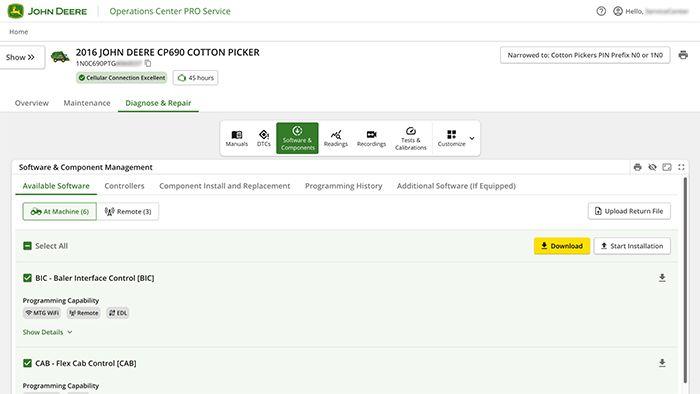
The John Deere Operations Center™ PRO Service one-year license enables you to reprogram your own equipment, that means more control. Whether you're updating software, fixing electronic issues, or adding new tech, you can handle it right in the field. It helps keep your equipment running and your work on schedule. You can also see what software is installed on your equipment. It further empowers you to keep your entire fleet running at its best with the information you need. Prepare software payloads and updates before you go offline, then reprogram or update controllers at your convenience—no need to rely on an active internet connection to keep your equipment running at its best.
Run it your way – when issues arise, use the powerful tools below to quickly diagnose your machines’ problems so you can quickly get them back to running at their best.
Reprogram, replace, or update controllers on John Deere equipment (3rd party compatibility exclusions listed below4) your schedule. Depending on the machine, users can do this remotely2,6 with a 4G MTG Modem or at the machine (may require compatible cables).